Alipay for Foreigners 2026: Complete Setup Guide Before China
How to Set Up Alipay as a Foreigner
Priority: 🔴 Do this BEFORE your trip
China is essentially a cashless society. Even street food vendors, taxi drivers, and convenience stores expect mobile payment. Without Alipay or WeChat Pay, you will struggle to pay for almost anything.
The good news: Alipay now supports foreign credit cards. Here's exactly how to set it up.
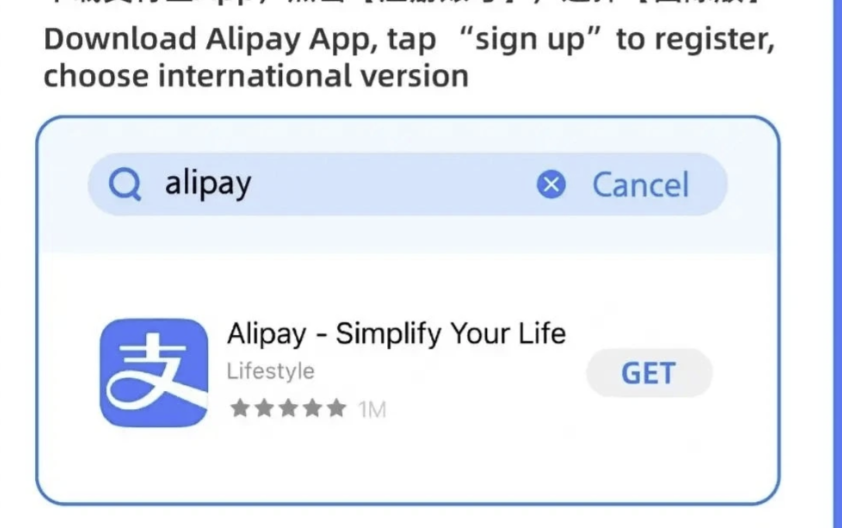
Step 1: Download Alipay
- iOS: Search "Alipay" in the App Store (支付宝)
- Android: Download from Google Play or the Alipay website
⚠️ Important: Download and set up Alipay BEFORE entering China. The Google Play Store is blocked in China (you'd need a VPN to access it).
Step 2: Register with Your Phone Number
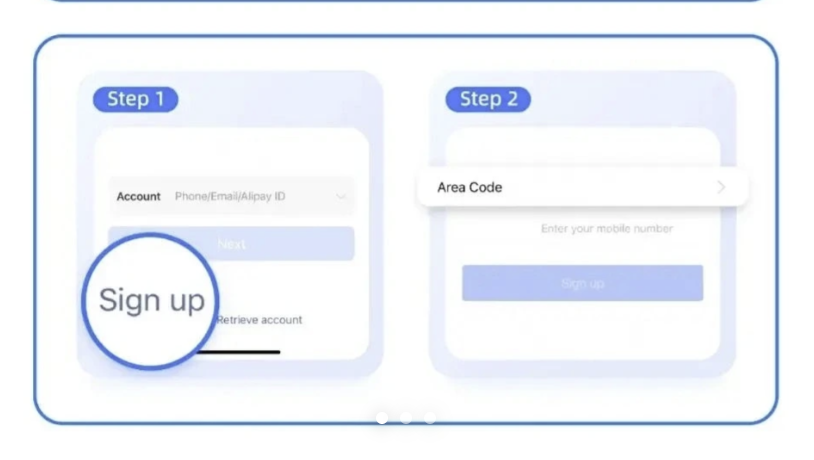
- Open Alipay and tap "Sign Up"
- Enter your international phone number (with country code)
- You'll receive an SMS verification code
- Set a login password
💡 Tip: You can use your home country phone number. You don't need a Chinese SIM card for basic Alipay functionality.
Step 3: Complete Identity Verification
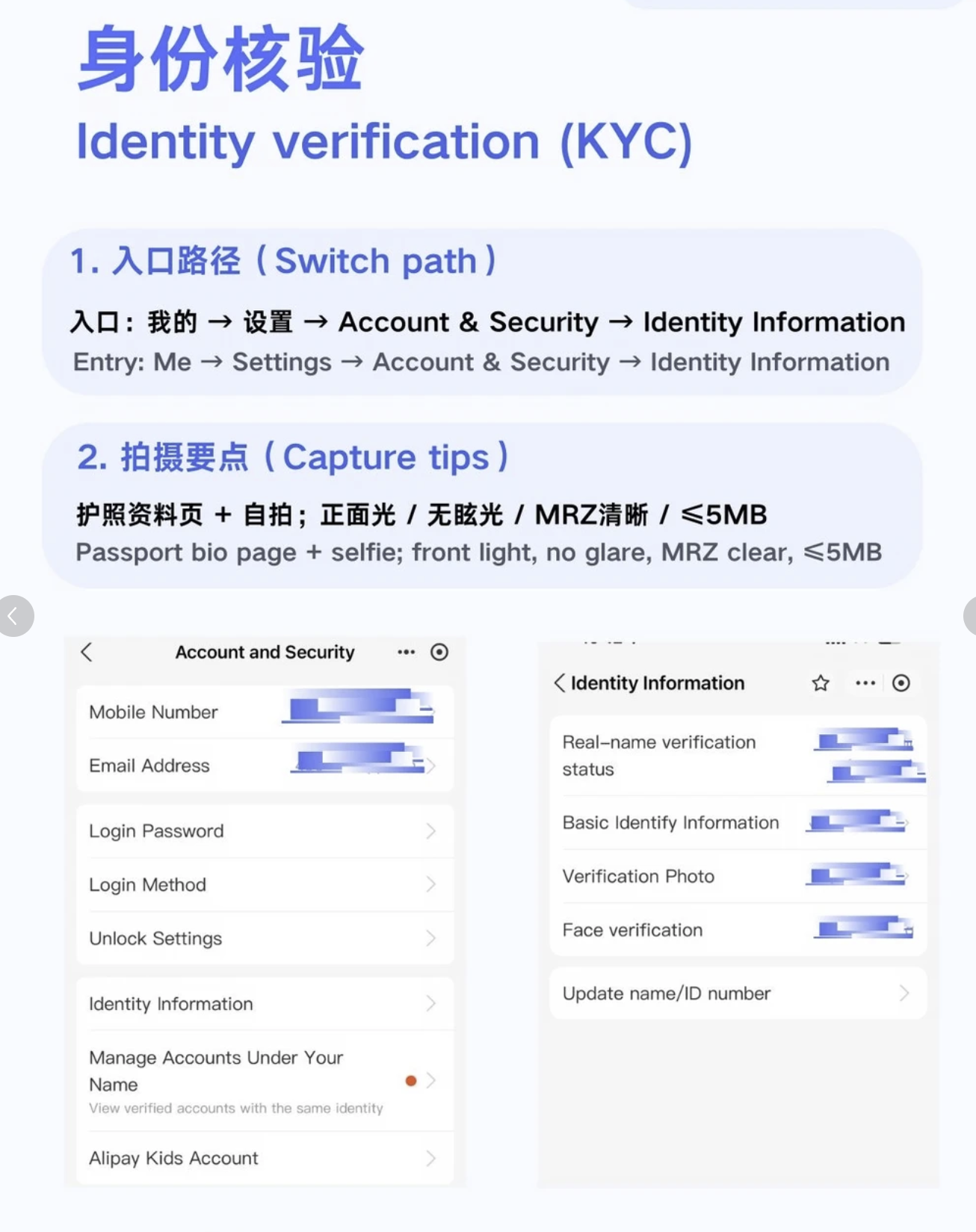
- Go to "Me" → "Settings" → "Identity Verification"
- Select "Foreign Passport" as your ID type
- Enter your passport number and full name (must match your passport exactly)
- You may need to take a photo of your passport
Step 4: Link Your Foreign Credit Card
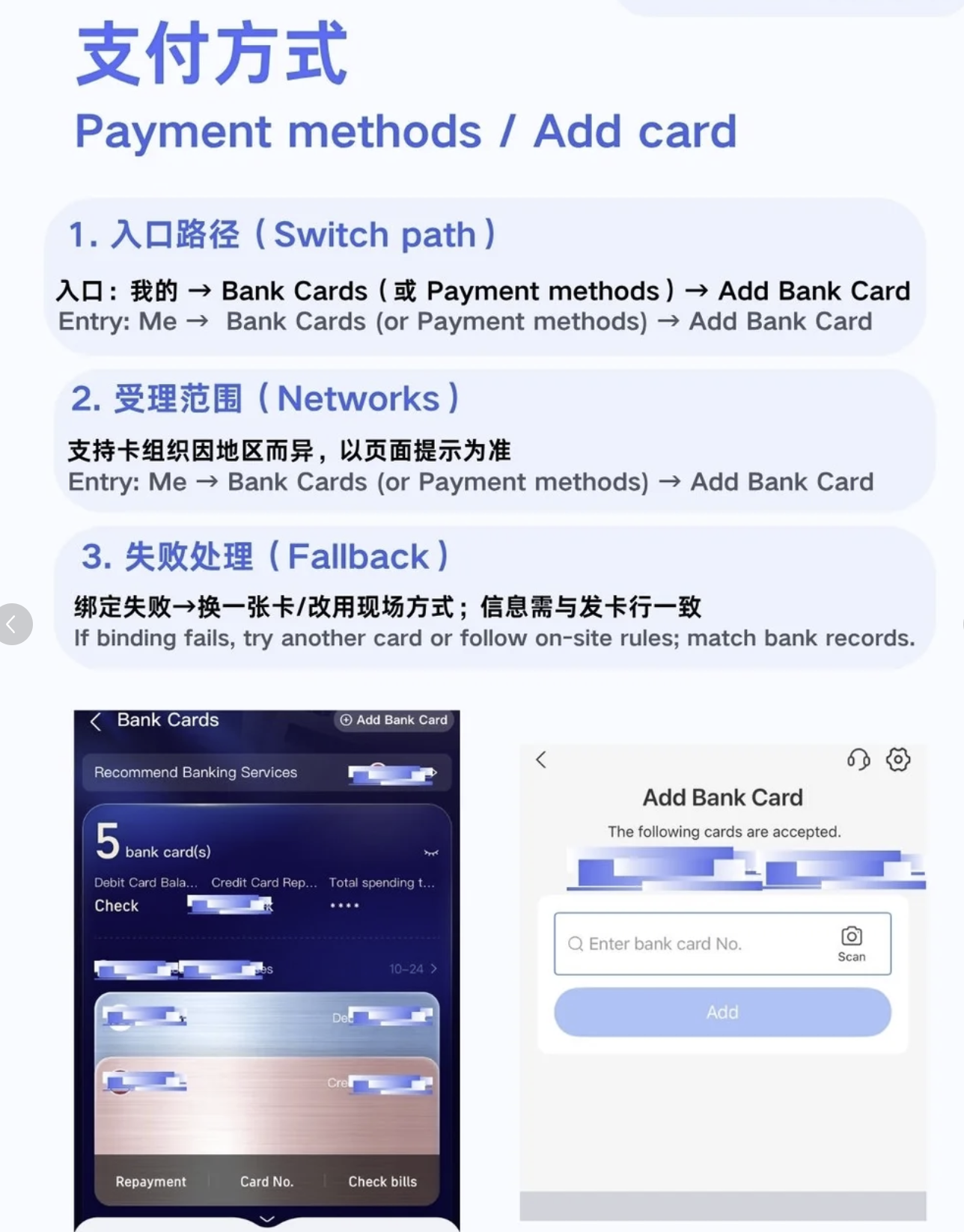
- Go to "Me" → "Bank Cards" → "Add Card"
- Enter your international credit card details
- Visa, Mastercard, JCB, Diners Club, and Discover are supported
- American Express has limited support
- Your bank will send a verification code
- Once verified, the card appears in your Alipay wallet
Step 5: Set Up Payment PIN
- Go to "Me" → "Settings" → "Payment Settings"
- Set a 6-digit payment PIN
- This PIN is required for every transaction
How to Pay
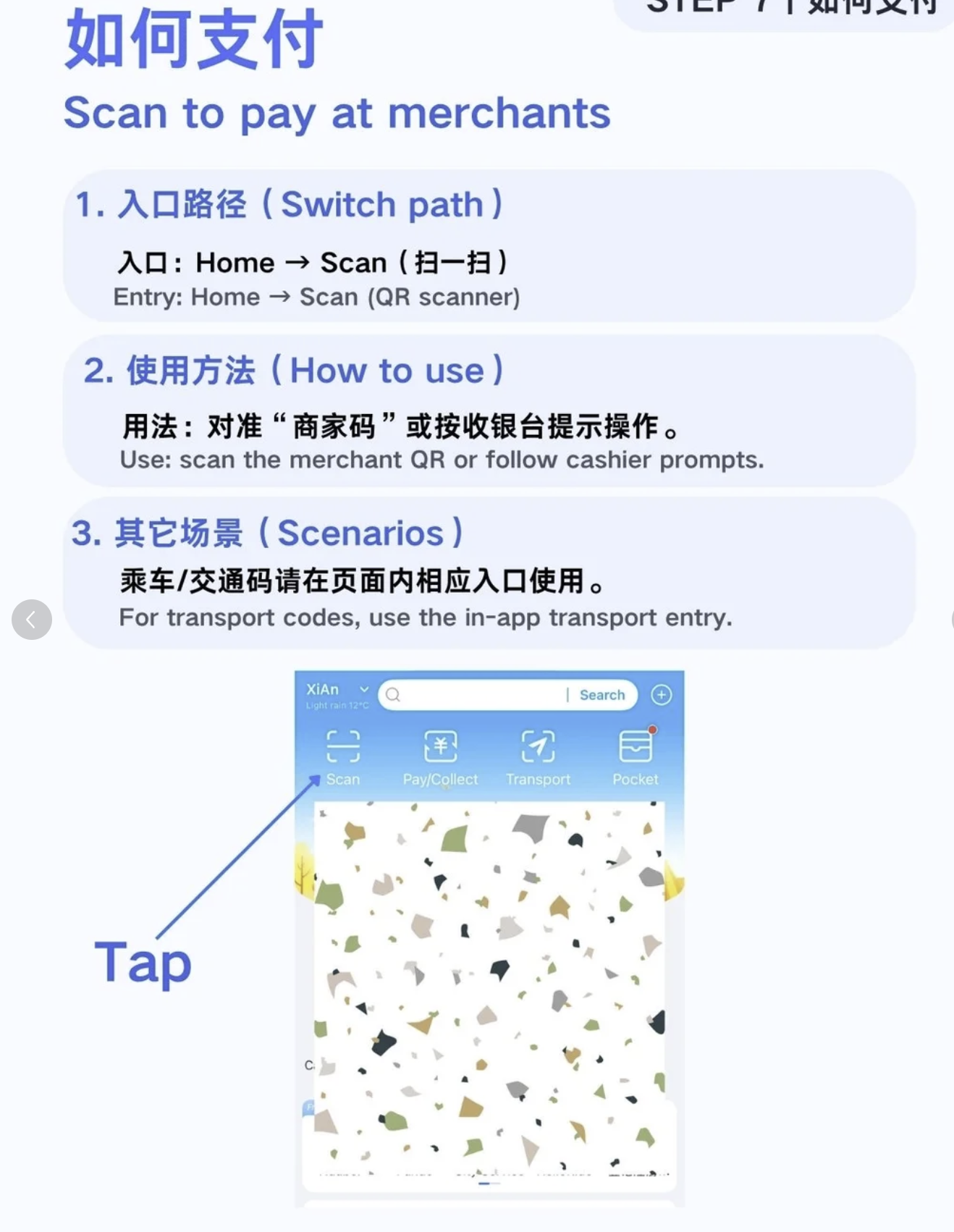
When you need to pay:
- To pay a merchant: Open Alipay → tap "Pay" → show the QR code to the merchant's scanner
- To scan a merchant: Open Alipay → tap "Scan" → scan the merchant's QR code → enter amount → confirm
Fees and Limits
| Detail | Info |
|---|---|
| Transaction fee | Free for transactions under ¥200 |
| Transaction fee | 3% for transactions over ¥200 |
| Daily limit | Varies by card issuer, typically ¥5,000-10,000 |
| Monthly limit | Varies by card issuer |
Common Issues
"Transaction failed": Your bank may block international transactions. Call your bank before traveling to authorize China transactions.
"Identity verification failed": Make sure your name matches your passport exactly. Middle names matter.
"Card not supported": Try a different card. Visa and Mastercard have the highest success rate.
Pro Tips
- Always have Alipay AND WeChat Pay set up — some merchants only accept one
- Keep some cash as backup — ¥500-1000 in small bills for emergencies
- Alipay mini-programs let you book taxis (Didi), order food (Meituan), buy train tickets (12306), and more — all within the Alipay app
- Enable notifications so you can see payment confirmations instantly
FAQ
Can foreigners use Alipay in China? Yes. Alipay now supports foreign credit and debit cards (Visa, Mastercard, JCB, Diners Club, Discover). American Express has limited support. You need to complete identity verification with your passport.
Do I need a Chinese bank account to use Alipay? No. Foreign credit cards can be linked directly to Alipay without a Chinese bank account.
How much does Alipay cost for foreigners? Transactions under ¥200 are free. Transactions over ¥200 incur a 3% fee. Daily limits vary by card issuer, typically ¥5,000-10,000.
What happens if my Alipay transaction fails? Your bank may have blocked international transactions. Call your bank before traveling to authorize transactions in China. Also ensure your name matches your passport exactly during verification.
Can I use WeChat Pay instead of Alipay? Yes. WeChat Pay is the other major payment app in China. Some merchants only accept one or the other, so it's best to have both set up before your trip.
Is Alipay safe to link my credit card to? Yes. Alipay uses encryption and has purchase protection policies. As with any digital payment, monitor your transactions and never share your PIN with anyone.
Last updated: 2026-06-05 · Written by Bobby, living in Chengdu since 2023